
STEP 4: Assign DVR's IP

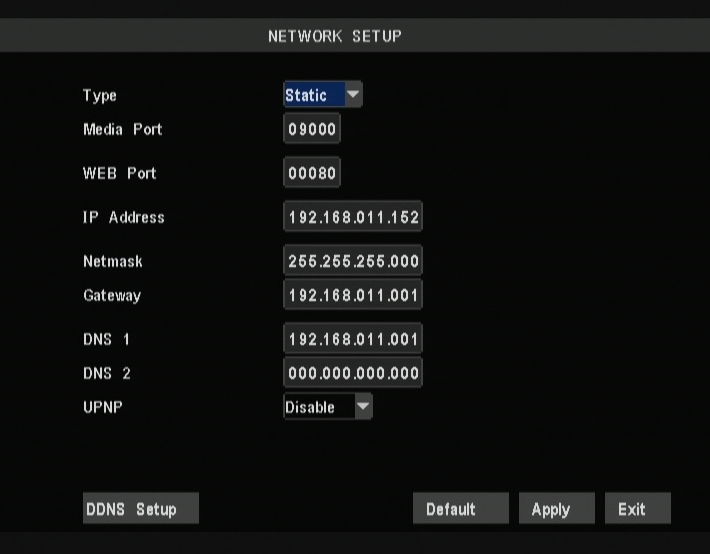
Once you have written down the DVR's IP, subnet mask and default gateway,
change the TYPE back to STATIC and click APPLY at the top bottom of the screen.
Exit back to the camera screens and allow the DVR to reboot.
Once the DVR reboots, go back in to the NETWORK section to make sure the values are still the same as what you have written down.
Once the DVR reboots, go back in to the NETWORK section to make sure the values are still the same as what you have written down.